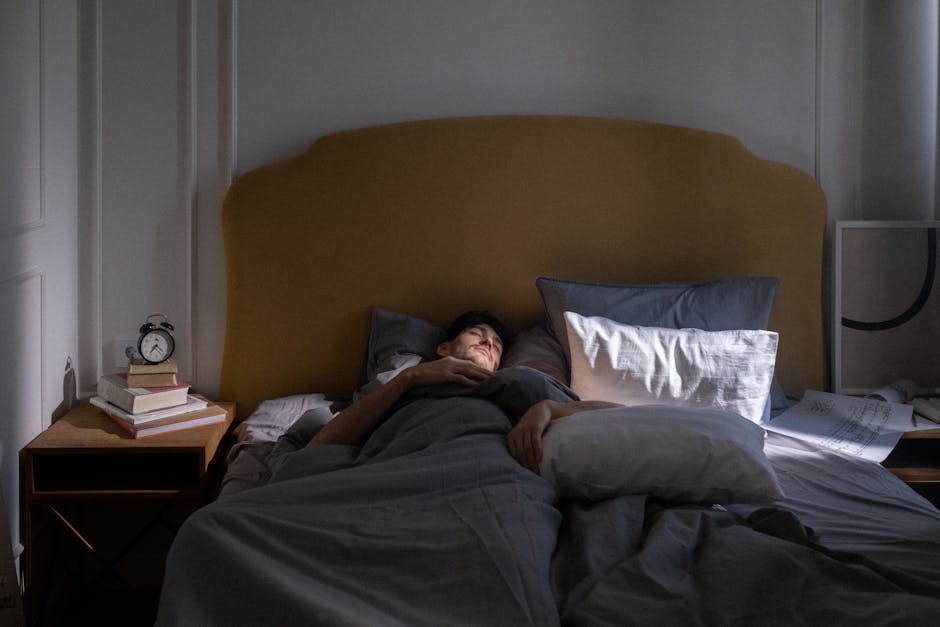
It’s late. The episode ends on a cliffhanger, the credits begin, and a countdown appears: the next episode starts in a few seconds. You could stop—but stopping now means interrupting the story and making a decision when you’re already tired.
That little countdown is autoplay next episode, a familiar part of modern streaming design. It can make watching smoother, especially when you’re settled in for a planned marathon. It can also nudge you into watching longer than you intended. So is autoplay a dark pattern, or just a useful feature?
The honest answer depends Visit website on how it works, what control you have, and whether the service makes that control easy to find. Autoplay isn’t automatically manipulative. But when a platform makes continuing effortless and stopping unusually difficult, the design deserves a closer look.
What makes a feature a dark pattern?
A dark pattern is a design choice that steers people toward an outcome that benefits a company while making it harder to choose something else. The label is most useful when it describes the design—not when it blames viewers for responding to it.
Autoplay removes a small but meaningful pause. Without it, an episode ends and you have to choose whether to continue. With it, the platform makes the next choice for you unless you intervene. That can be convenient, but it also shifts the default from “stop and decide” to “keep watching.”
The key distinction is not simply whether autoplay exists. It’s whether the service gives you clear, practical control. Consider questions like these:
- Can you turn autoplay off without digging through obscure menus? Does the countdown give you enough time to act? Is it clear which setting controls the next episode, previews, or both? Does your choice stay in place across devices and profiles? Can you stop playback without being pushed toward another title?
A feature that is easy to understand, easy to disable, and genuinely useful in some situations is harder to call a dark pattern. A feature that quietly overrides your intention, hides the off switch, or keeps changing its behavior is more concerning.
Why autoplay feels so seamless
Good streaming design removes friction. You don’t need to search for the next episode, remember where you left off, or pick up the remote after every installment. For a viewer watching several episodes on purpose, that’s a real convenience.
Autoplay also fits the basic rhythm of serialized storytelling. Episodes often end with a new question or unresolved problem. The next episode promises an answer, then introduces another question. That structure can make stopping feel less like finishing a show and more like abandoning it halfway through a sentence.
Then there’s decision fatigue. At the end of a long day, choosing what to watch may already have taken more energy than you expected. When you’re tired, a countdown offers an easy path: do nothing, and the story continues. That ease is not proof that you lack self-control. It’s what the interface is designed to provide.
Full-season drops can intensify the effect. When a whole season is available at once, there may be no wait until next week to interrupt a binge. The viewing experience becomes one long chain of possible next episodes, with fewer natural stopping points created by the release schedule.
Habit loops, cliffhangers, and late nights
Habit loops are often described as a cue, a routine, and a reward. In a streaming context, the cue might be an episode ending. The routine is letting the next one play. The reward could be suspense resolved, a favorite character returning, or simply the comfort of staying with a familiar story.
Over time, that sequence can become automatic. You may find yourself watching another episode before consciously deciding whether you want to. Autoplay doesn’t create every viewing habit, and a cliffhanger doesn’t compel everyone to continue. But together, they can make the “keep going” option feel like the path of least resistance.
This can collide with revenge bedtime procrastination: putting off sleep to claim personal time after a day that felt crowded with obligations. A show can feel like a well-earned break. The problem is that the break may extend beyond what you meant to choose, especially when the next episode starts while your attention is elsewhere.
It’s tempting to frame the issue as poor discipline. That misses the role of the product. Streaming services are built to make watching accessible and enjoyable; reducing friction is part of the appeal. But when the same design meets fatigue, cliffhangers, and a late bedtime, the result can be less intentional viewing than the viewer wanted.
Where Netflix fits into the conversation
Netflix helped make the full-season release model familiar to a broad audience, and its approach to viewing has long been part of public conversations about streaming habits. Co-founder Reed Hastings has also been associated with the company’s focus on entertainment that keeps people watching. Those facts help explain why autoplay and binge watching are often discussed together—but they don’t settle whether a particular feature is fair or manipulative.
That judgment is better made by looking at the current experience. What does the setting do? Is it clear? Does it work as expected? A company’s history or a headline about its strategy can provide context, but the design people encounter on their own screens matters most.
It’s also worth checking your profile settings before assuming the service is behaving the same way for everyone. Autoplay may be controlled at the profile level, and settings can vary across devices or app versions. If https://smoothdecorator.com/how-do-i-turn-off-autoplay-on-netflix-so-i-stop-at-one-episode/ you share an account, your choice may not match another viewer’s profile.
Autoplay isn’t the only design choice that matters
It helps to separate features that are often bundled into a conversation about “binge watching.” They can influence viewing in different ways:
Design choice What it does Question to ask Autoplay next episode Starts another episode after the current one Can I turn it off easily or cancel the countdown? Full-season drops Makes many episodes available at once Do I want to set my own stopping points? Previews that play automatically Starts trailers or clips while browsing Can I browse without unexpected sound or motion? Recommendations Suggests what to watch next Am I choosing this title, or accepting the easiest option?
These choices can combine. Someone who enjoys a full season at their own pace may not want autoplay. Another person may prefer autoplay during a planned watch but dislike it when browsing late at night. Good streaming design should leave room for those differences.
How to make watching more intentional
You don’t need to quit streaming or turn every evening into a self-improvement project. Small changes can put a little space back between one episode and the next.
Check the profile settings. Look for controls for autoplaying the next episode and previews. Read the labels carefully; they may be separate options. Choose a stopping point before you start. Decide on a time, an episode, or a natural break. A plan made before the cliffhanger is often easier to follow than one made during it. Use the countdown as a prompt. When it appears, ask yourself whether you actively want another episode. If the answer is no—or you’re not sure—stop playback. Make stopping easier. Keep the remote nearby, or set a device timer if that helps. A paper notepad by the couch can hold a title you want to remember, so you don’t have to pick up your phone and get pulled into more scrolling. Build a wind-down routine that belongs to you. Some people switch to music, reading, or a quiet task after a show. A brand such as Joy Organics may be part of an individual’s evening routine, but no product can replace clear boundaries or guarantee better sleep.These are options, not rules. The point is to make your own intention easier to follow—not to turn leisure into another test you can fail.
So, is autoplay a dark pattern?
Autoplay is a convenience feature with the potential to become a manipulative nudge. It saves effort when you want to continue, but it can also remove the pause that helps you notice when you’re ready to stop. Whether it crosses the line depends on transparency, control, and how much friction the service puts between you and your preferred choice.

A fair design makes autoplay understandable and easy to change. It doesn’t hide the setting, rush the countdown, or treat every viewer as if they want the next episode immediately. And a fair conversation about streaming recognizes that habit loops and late-night watching are shaped partly by product design—not just by individual willpower.
The practical question isn’t whether binge watching is always bad or autoplay is always wrong. It’s whether the experience you’re using helps you watch the way you actually want to. If it doesn’t, check the settings, add a stopping cue, and give yourself permission to leave the story for tomorrow.